Android
AdGenius AI for Android
Monitor campaigns, chat with your AI strategist and act on recommendations — wherever you are.
- Version
- 1.0.4 (5)
- Released
- Nov 2, 2026
- File size
- 66.1 MB
- Requires Android
- 7.0+
iPhone app: coming later. Use the web app on iPhone today.
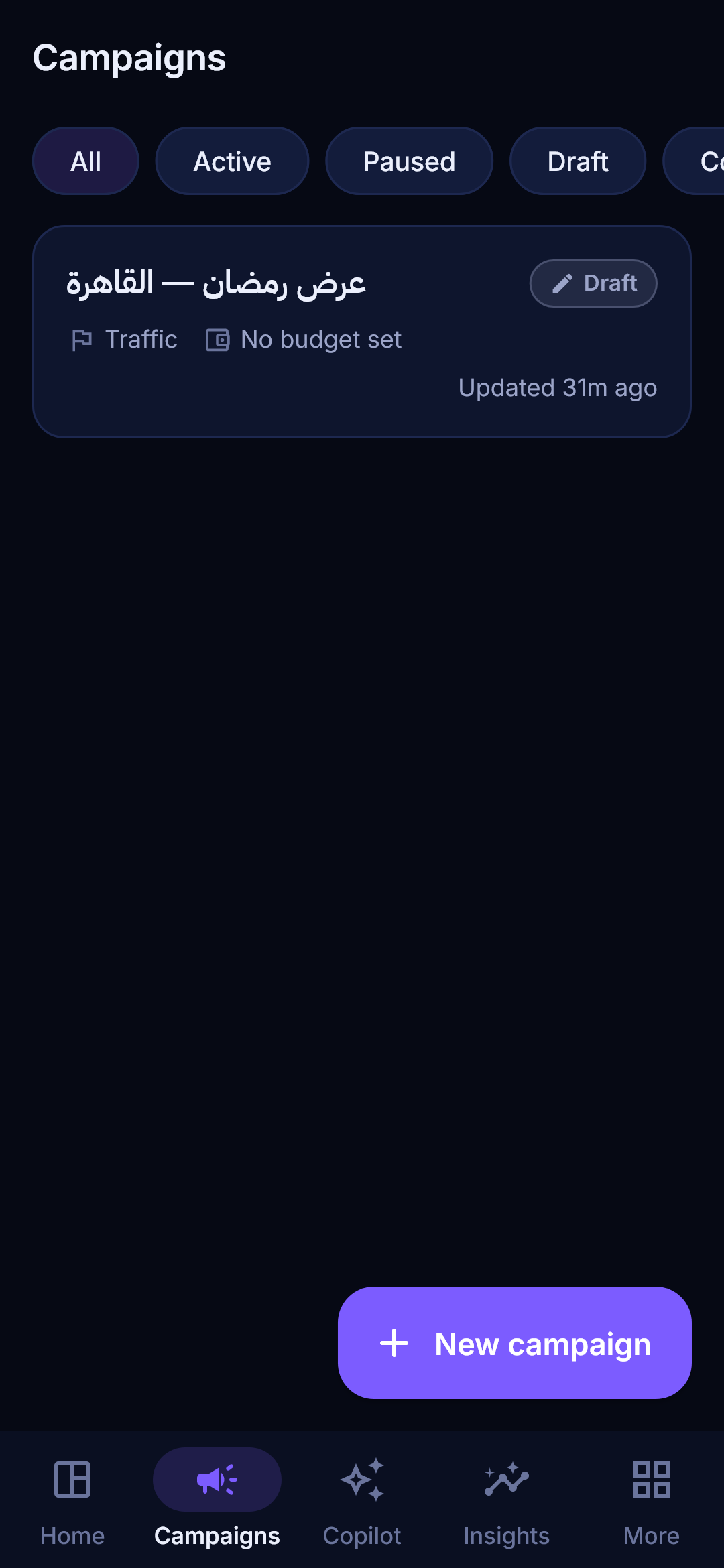
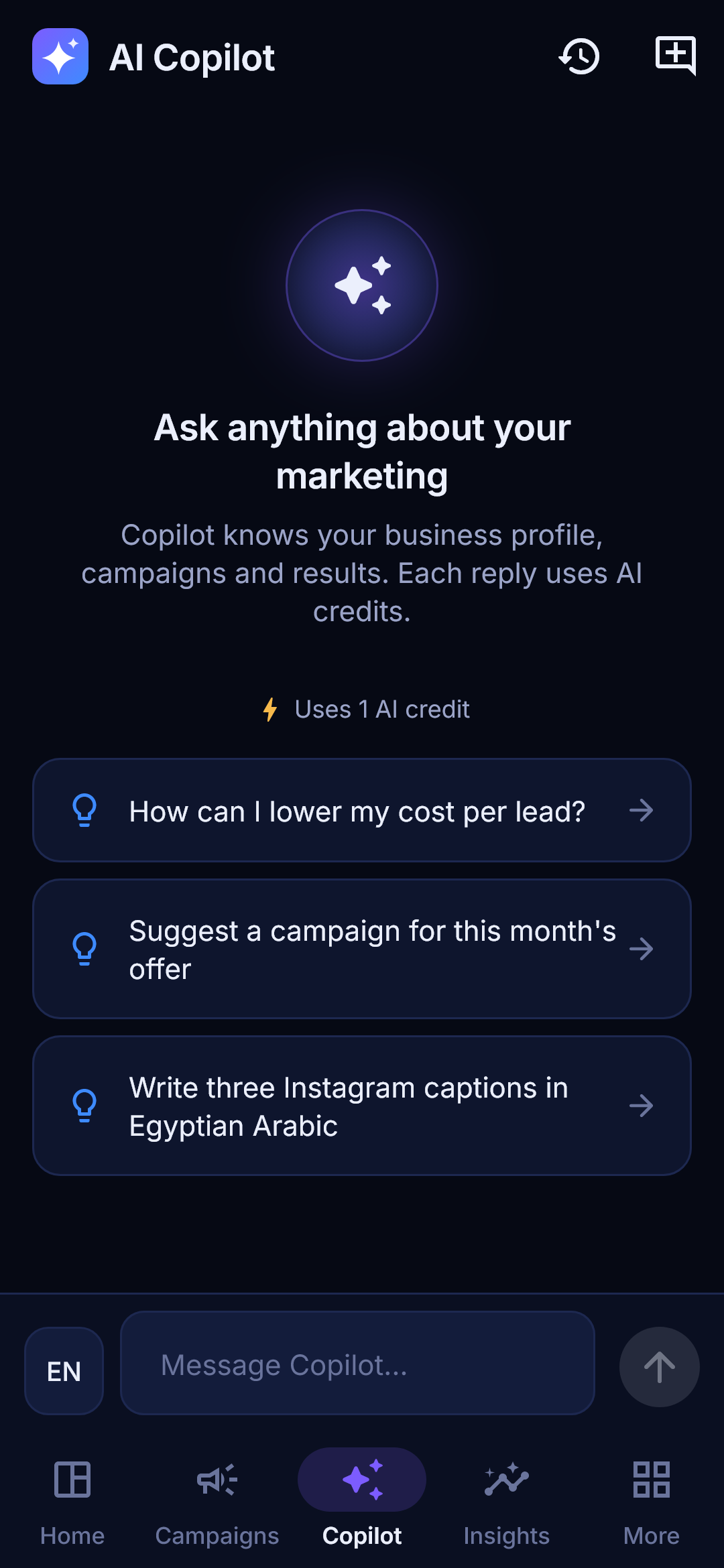
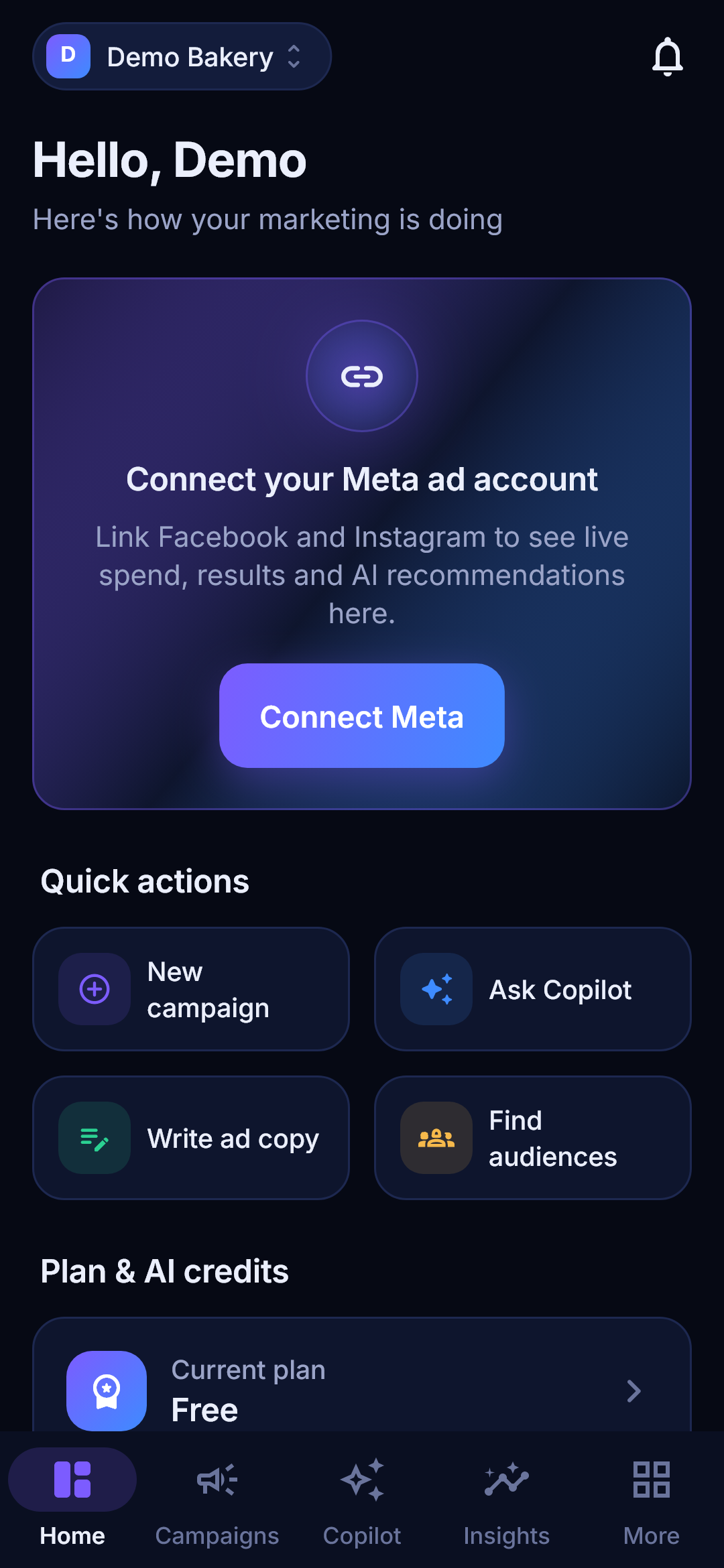
In the app
- Live campaign monitoring with push alerts
- AI Copilot chat in Arabic and English
- Quick campaign creation and approvals
- Audience recommendations and Creative Studio
- Subscription and AI credits, synced with the web
How to install
- 1Tap Download APK and open the file when the download finishes.
- 2If Android asks, allow your browser to install apps from this source (Settings → Apps → Special access → Install unknown apps).
- 3Tap Install, then open AdGenius AI and sign in with your existing account.
- 4Updates are announced inside the app; critical security updates may be required.
Verify the download
Compare the SHA-256 checksum of the file with the value above. On a computer: `certutil -hashfile adgenius.apk SHA256` (Windows) or `shasum -a 256 adgenius.apk` (macOS/Linux). The signing certificate fingerprint can be checked with `apksigner verify --print-certs`.
SHA-256 checksum
e3976d07841899bc5c0427af65f21773bba47f48b5a008f20666e5e7c45ff825Signing certificate (SHA-256)
39:C2:C9:1C:A0:2C:C8:E9:77:D5:EC:50:F6:82:92:95:32:10:27:E5:AA:0B:14:BF:B8:58:B8:39:37:0C:A4:A6What's new · v1.0.4
Page inbox with auto & AI replies, live campaign progress and Meta review status, clear publish error reasons, fingerprint sign-in, fixed bottom bar overlap.